


In-game screenshots
Select an image to view it at full size in a new tab.
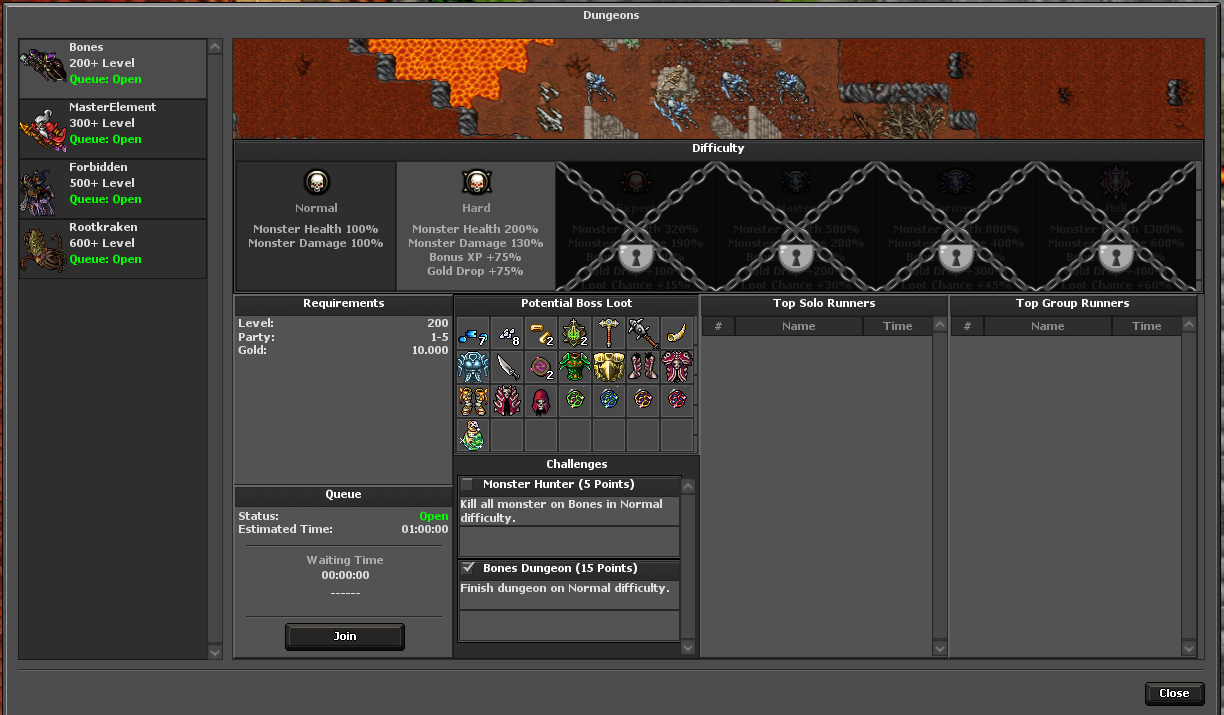
How to get started
- Open the dungeon interface at its entry interaction.
- Select an available dungeon and read its required level and entry conditions.
- Prepare your party if the selected dungeon uses group entry.
- Complete the dungeon objectives and check its completion time, rewards and records.
Rules & useful details
- Do not assume every dungeon uses the same party size, timer or admission rules.
- Examples in the current content include Bones, Forbidden, Master Element and Rootkraken.
- The client module and modal windows are interfaces to dungeon content, not separate reward systems.
Guide based on Beretha's configured systems. Check the current in-game offer or confirmation for the cost and requirements of a specific action.